
 −20% DIGITAL LICENCE
−25% OFF ⚡ DIGITAL ESD 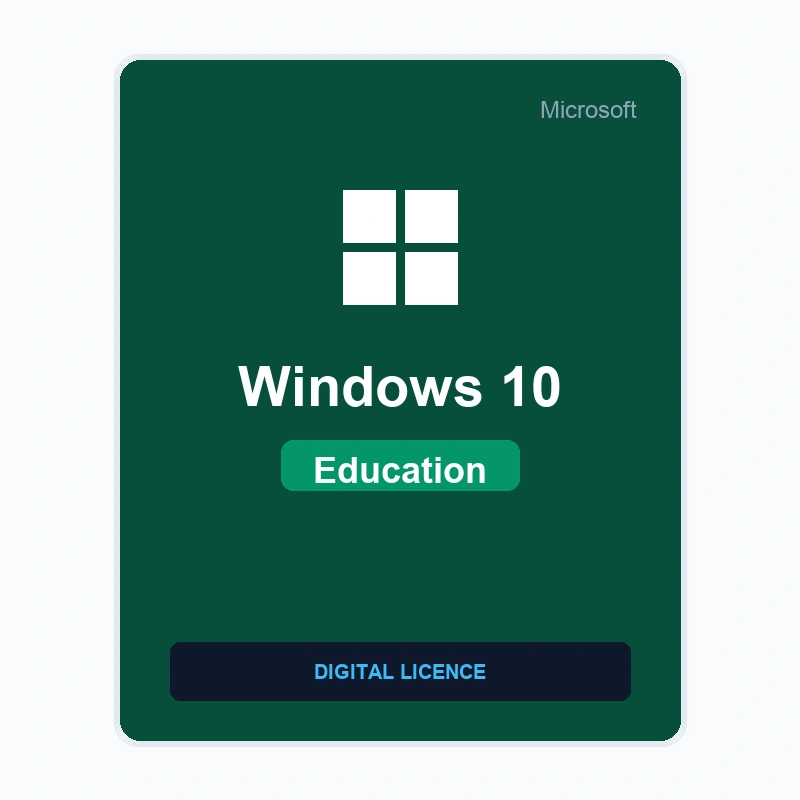
🛡️
100% Genuine Software License
Official vendor server activation • Verified by ANYSOFTHUB
Windows & Server
Microsoft
Microsoft Windows 10 Education – License Key | 1 PC
Rs. 1,500.00
Rs. 2,000.00
Save Rs. 500.00 (25% OFF)
Microsoft Windows 10 Education – License Key | 1 PC
Upgrade to Windows 10 Education with advanced security, centralized management, and features designed for schools and universities.
✅ Education License – Licensed for use under applicable Microsoft licensing terms.
✅ 1 PC Activation – Licensed for one device at a time.
✅ Advanced Security – BitLocker, Credential Guard & AppLocker.
✅ Education Features – Remote Desktop, Hyper-V & Take a Test.
✅ Digital Delivery – License key sent directly via email after payment verification.
✅ Activation Support – Installation and activation assistance from ANYSOFTHUB Sri Lanka.
🚀
Electronic Delivery in 2–5 Hours
License key and official setup link sent to your email and tracking vault.
🛡️
100% Genuine Retail / LTSC License
Official vendor download links with Microsoft online activation.
🔧
1-Year Support & 15-Day Replacement
Free remote activation support via WhatsApp / AnyDesk if required.
🔒
Safe Sri Lankan Banking (Sampath Bank)
Direct bank transfer & 256-Bit SSL encrypted transaction verification.
Product Overview
Microsoft Windows 10 Education – License Key | 1 PC
Upgrade to Windows 10 Education with advanced security, management, and learning-focused features.
Microsoft Windows 10 Education is designed for schools, universities, and academic institutions that need advanced security, centralized management, and a familiar computing experience.
With enterprise-grade security, flexible device management, and classroom-focused tools, Windows 10 Education helps students and staff learn and work securely.
Key Features
- BitLocker Drive Encryption: Help protect important files and sensitive information.
- Remote Desktop: Access your Windows 10 Education computer remotely when correctly configured.
- Windows Hello: Secure sign-in using supported biometric authentication or a PIN.
- Hyper-V Virtualization: Run supported virtual machines for development and testing.
- Credential Guard and Device Guard: Help protect credentials and control trusted apps on supported hardware.
- AppLocker: Control which applications are allowed to run on managed devices.
- Take a Test and Assigned Access: Support secure assessments and locked-down, single-purpose devices in classrooms.
- Business Management: Support domain joining, Microsoft Entra ID, and Group Policy management.
- Microsoft Updates: Windows 10 reached end of support on October 14, 2025. Further security updates are available only through Microsoft's Extended Security Updates (ESU) program for eligible devices.
Product Specifications
|
Specification |
Details |
|
Product |
Microsoft Windows 10 Education |
|
Edition |
Education |
|
License Type |
Education License |
|
Devices |
1 Compatible PC |
|
Architecture |
32-bit / 64-bit |
|
Delivery Method |
Digital License Key via Email |
|
Activation |
Online Activation |
|
Subscription |
No recurring subscription |
|
Installation Media |
Not included |
|
Support |
Installation and activation assistance |
Minimum System Requirements
- Processor: 1 GHz or faster compatible processor or SoC
- RAM: 1 GB (32-bit) or 2 GB (64-bit)
- Storage: 16 GB (32-bit) or 20 GB (64-bit)
- Firmware: BIOS or UEFI
- TPM: Not required for installation (TPM 1.2 or 2.0 recommended for BitLocker)
- Graphics: DirectX 9 or later with WDDM 1.0 driver
- Display: 800 x 600 resolution or higher
Please verify your PC's compatibility before purchasing.
How to Activate Windows 10 Education
- Install Windows 10 Education using official Microsoft installation media, or open Activation settings if Windows 10 Education is already installed.
- Go to Settings → Update & Security → Activation.
- Select Change product key.
- Enter your purchased Windows 10 Education License product key.
- Follow the on-screen activation instructions.
Internet access may be required.
License Delivery — ANYSOFTHUB Sri Lanka
Your order is processed through our secure ordering system.
After your bank transfer has been verified by our team, your digital license key and activation instructions will be sent directly to your registered email address.
Please note: Delivery is not automatic or instant. Orders are subject to payment verification and processing during support hours.
Important Information
- This product is intended for activation on one compatible PC at a time.
- License terms, activation method and transfer rights depend on the applicable Microsoft licensing terms and the supplied license's eligibility.
- Check that your installed Windows edition matches the purchased license.
- Microsoft Office and other applications are not included.
- This is a digital product; no physical box, DVD, or USB drive is supplied.
- Windows 10 Education is intended for qualifying academic institutions, staff, and students under Microsoft academic licensing terms.
- Windows 10 reached end of support on October 14, 2025. Please make sure this version meets your needs before purchasing.
- Contact ANYSOFTHUB support if you need assistance with installation or activation.
ANYSOFTHUB TECHNOLOGIES — Your Trusted Software Reseller in Sri Lanka.
Package Includes:
- Official 25-digit genuine license key (Retail / OEM / LTSC as purchased).
- Official direct download links from verified vendor servers (e.g.
microsoft.com). - Step-by-step activation guide in plain English.
- Official PDF tax invoice issued upon payment confirmation.
- Free remote technical assistance via WhatsApp / AnyDesk.
System Requirements & Technical Specifications
Platform
Windows 10
Edition
Education
License Type
Education License
Devices
1 PC
Architecture
32-bit / 64-bit
License Duration
Perpetual
Transferability
Subject to Microsoft Licensing Terms
Delivery
Digital License Key via Email
Activation
Online Activation
How to Activate Your Software License
STEP 01
Download Installer
Use the official direct download link provided in your delivery email or visit the vendor portal (e.g. setup.office.com or microsoft.com/software-download).
STEP 02
Run Installation
Run the setup program and follow the standard on-screen instructions to complete software installation on your PC.
STEP 03
Enter License Key
Open the installed software, navigate to File → Account or Activation Settings, and input the genuine 25-character product key.
STEP 04
Verified Activation
Click Activate. Your license will connect to Microsoft servers and confirm permanent validation. If you need any assistance, contact our WhatsApp hotline (+94 71 117 8269).
Digital Delivery & Warranty Terms
🚀 Electronic Delivery Policy
Your license key, setup links, and instructions are dispatched electronically to your registered email address within 2 to 5 hours of confirmed payment verification (typically <60 minutes during business hours: Mon–Sat 8:30 AM – 7:30 PM SLST).
🛡️ 15-Day Defect Replacement Guarantee
If your issued license key fails to activate or reports an activation error code, simply email a full-screen screenshot to support@anysofthub.com or WhatsApp (+94 71 117 8269). We will resolve or replace the key immediately.
Frequently Asked Questions
Are these software licenses genuine and authentic?
Yes, 100% genuine. All keys are sourced through authorized software distributors and activate directly with official vendor servers (e.g., Microsoft, Kaspersky, Autodesk). You receive all official vendor updates and security patches.
How and when will I receive my license key?
Your license key, official download links, and step-by-step setup guide are delivered digitally to your registered email address and customer vault within 2 to 5 hours of confirmed bank transfer payment verification (often <60 minutes during business hours).
Can I reinstall or transfer this license to another computer?
Retail & Bind licenses can be reinstalled or transferred to a new machine after uninstalling from the original PC. OEM licenses bind permanently to the original computer motherboard and cannot be moved to another machine.
What if the license key fails to activate?
We provide a 15-Day Defect Replacement Guarantee. If you experience an activation error code, simply WhatsApp our support team (+94 71 117 8269) with a screenshot. We provide free remote activation assistance via AnyDesk or replace the key immediately.
Do I receive a formal receipt or invoice for company accounts?
Yes. Upon payment confirmation, an official downloadable PDF tax invoice with invoice number and business registration details is generated and sent to your email.
Customer Reviews (0)
No published customer reviews yet for this software. Be the first verified buyer to leave feedback!
Sign in to review your verified software purchase.
RECOMMENDED FOR YOU
Related Software Licenses
−20% DIGITAL LICENCE  −20% DIGITAL LICENCE
 −13% DIGITAL LICENCE
 −19% 📦 PHYSICAL BOX / OEM
Windows & Server
Rs. 35,000.00 Rs. 28,500.00